Manage product trial activations
You can view and manage product trial activations using the 10Duke Scale UI console, 10Duke Scale License Checkout API, and the 10Duke Scale License Management API.
Note: Product trials are activated using the POST
/licensing/actions/start-product-trialREST API endpoint.
View product trial activations in the UI console
-
In the left sidebar, go to LICENSING > Products.
-
Find the product whose product trial activations you want to view, click the three-dot menu for the product, and select Product trials.
The list of that product’s product trials opens.
-
Click the three-dot menu for the product trial whose activations you want to view, and select Trial activations.
The list of that product’s product trial activations opens.
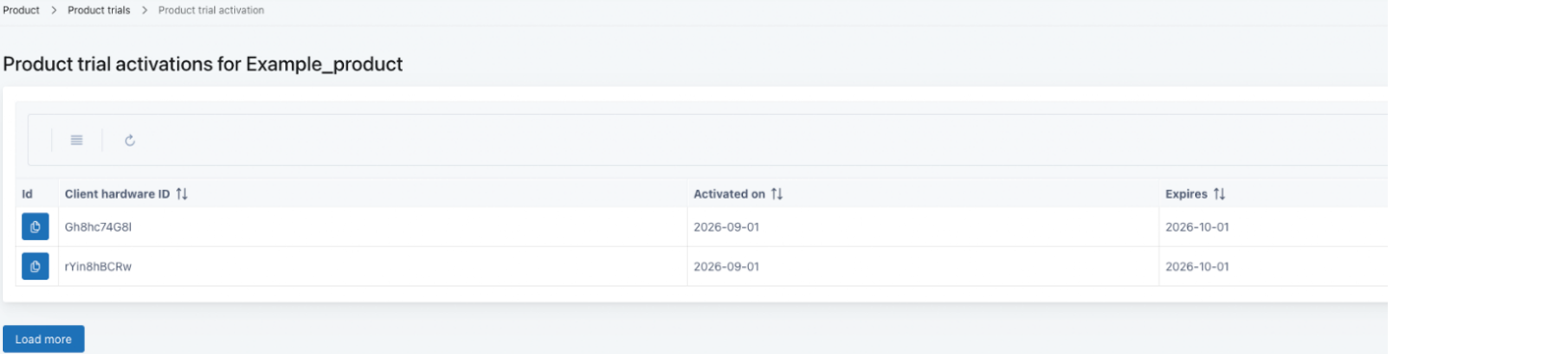
Delete a product trial activation in the UI console
-
In the left sidebar, go to LICENSING > Products. The product list opens.
-
Click the three-dot menu for the product whose product trial activation you want to delete, and select Product trials. The list of that product’s product trials opens.
-
Click the three-dot menu for the product trial whose trial activation you want to delete, and select Trial activations. The list of that product’s product trial activations opens.
-
Click the trash can icon for the product trial activation you want to delete.
-
To confirm the deletion, enter the client hardware ID of the product trial activation, and click Delete.
Manage product trial activations through the API
Use the following License Management API operation:
| Operation | URL (relative, prepend the environment base URL) |
|---|---|
| Retrieve product trial activations | GET /product-trial-activations |
| Retrieve a product trial activation | GET /product-trial-activations/{activationId} |
| Activate a product trial | POST /licensing/actions/start-product-trial |
| Delete a product trial activation record | DELETE /product-trial-activations/{activationId} |