Activate a 10Duke Scale Local License Server
A 10Duke Scale Local License Server must be activated before it can be used for production use. The activation can be done either in online or offline mode. You, the vendor, must provide the activation token for your customer to enable them to activate their Local License Server.
Online activation is the recommended approach. Use offline activation when it’s not possible to activate the Local License Server using an internet connection.
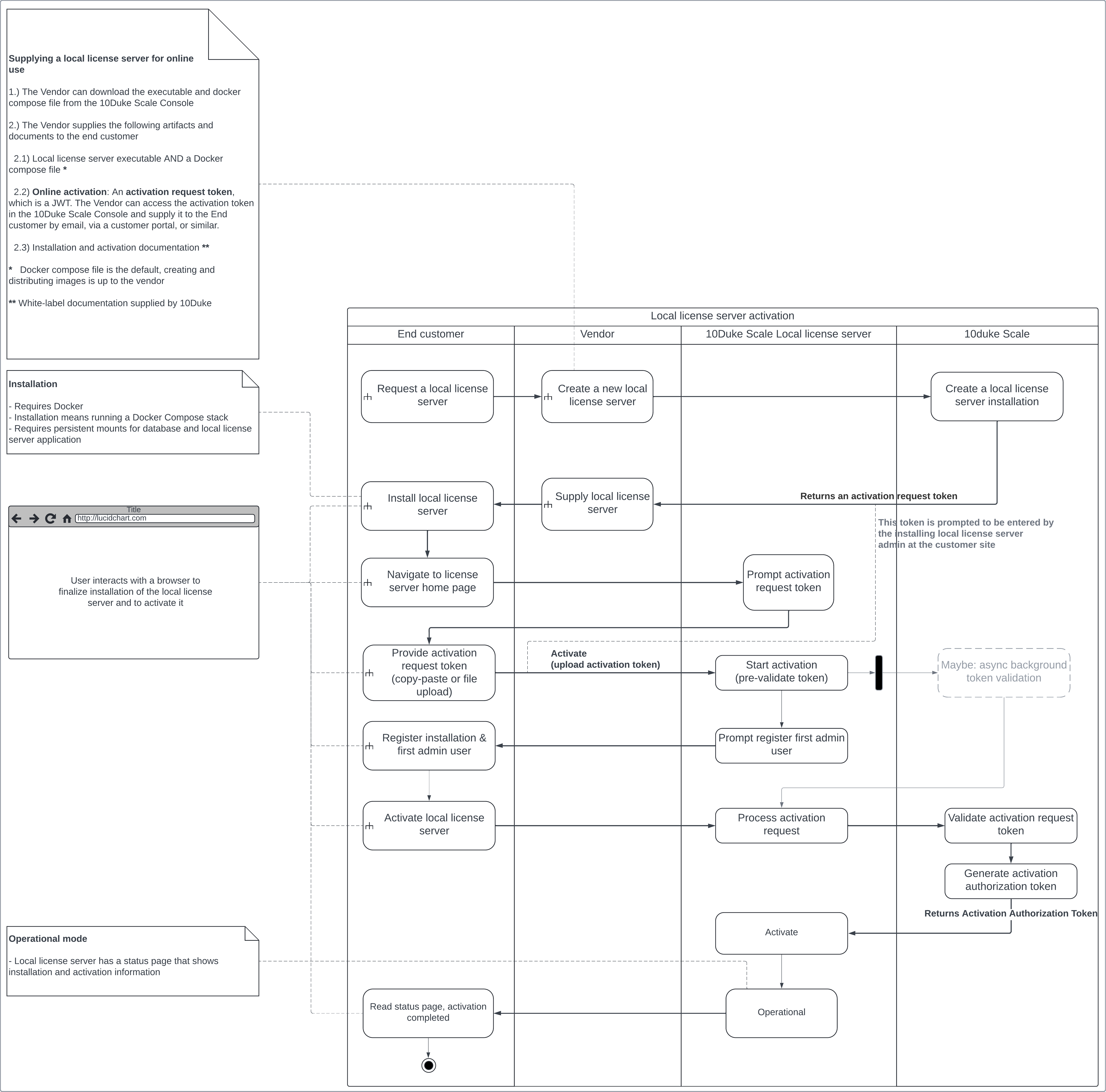
Online activation
The following flow illustrates the activities and responsibilities in online activation for the end customer, the vendor, and 10Duke.
Offline activation
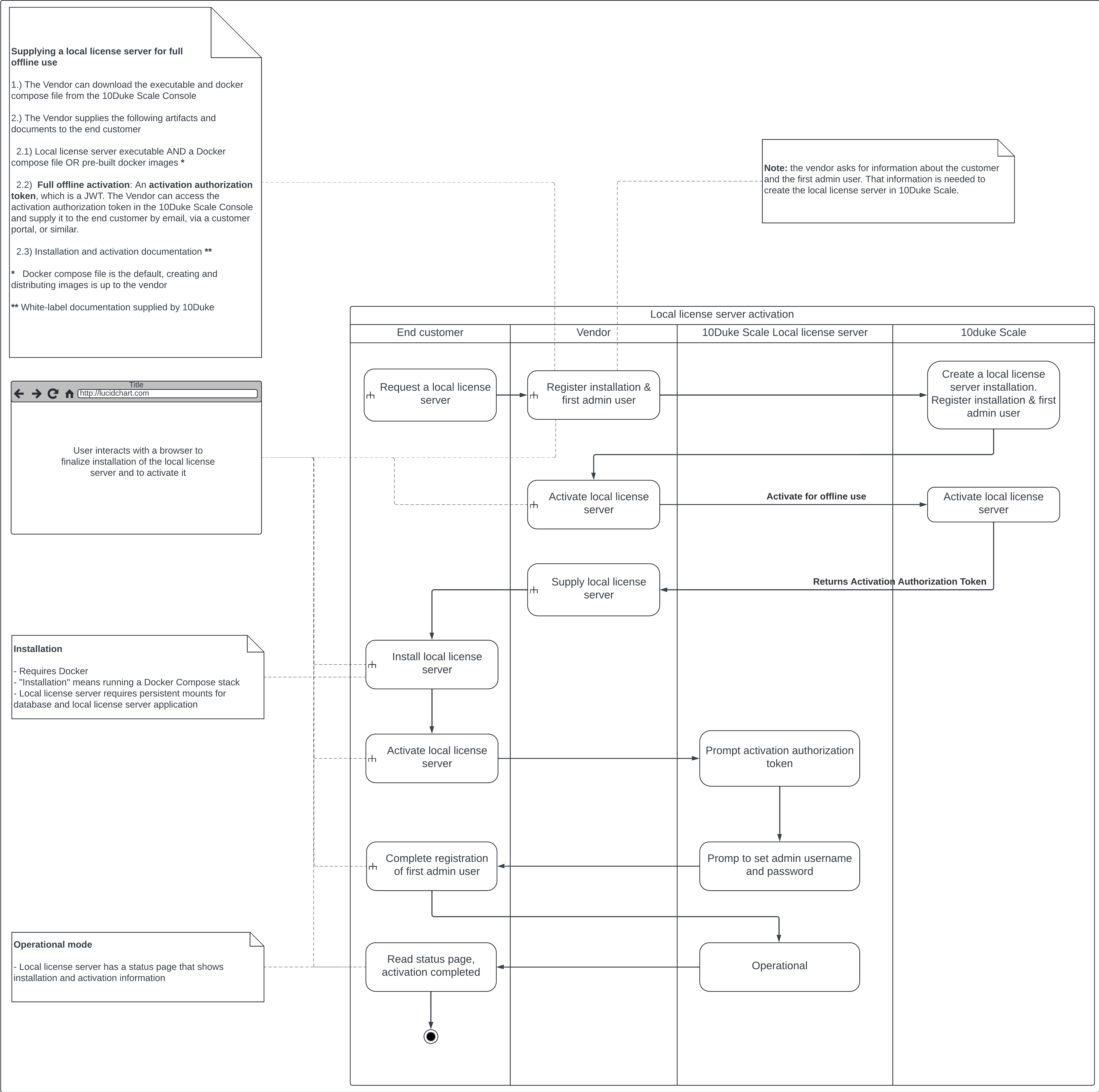
The following flow illustrates the activities and responsibilities in offline activation for the end customer, the vendor, and 10Duke.
Note: If the maximum allowed offline period for the Local License Server has been exceeded, its status is changed to suspended for up to 7 days. During this period, the Local License Server automatically attempts to restore the connection. If the connection cannot be restored, the Local License Server installation is automatically deactivated.
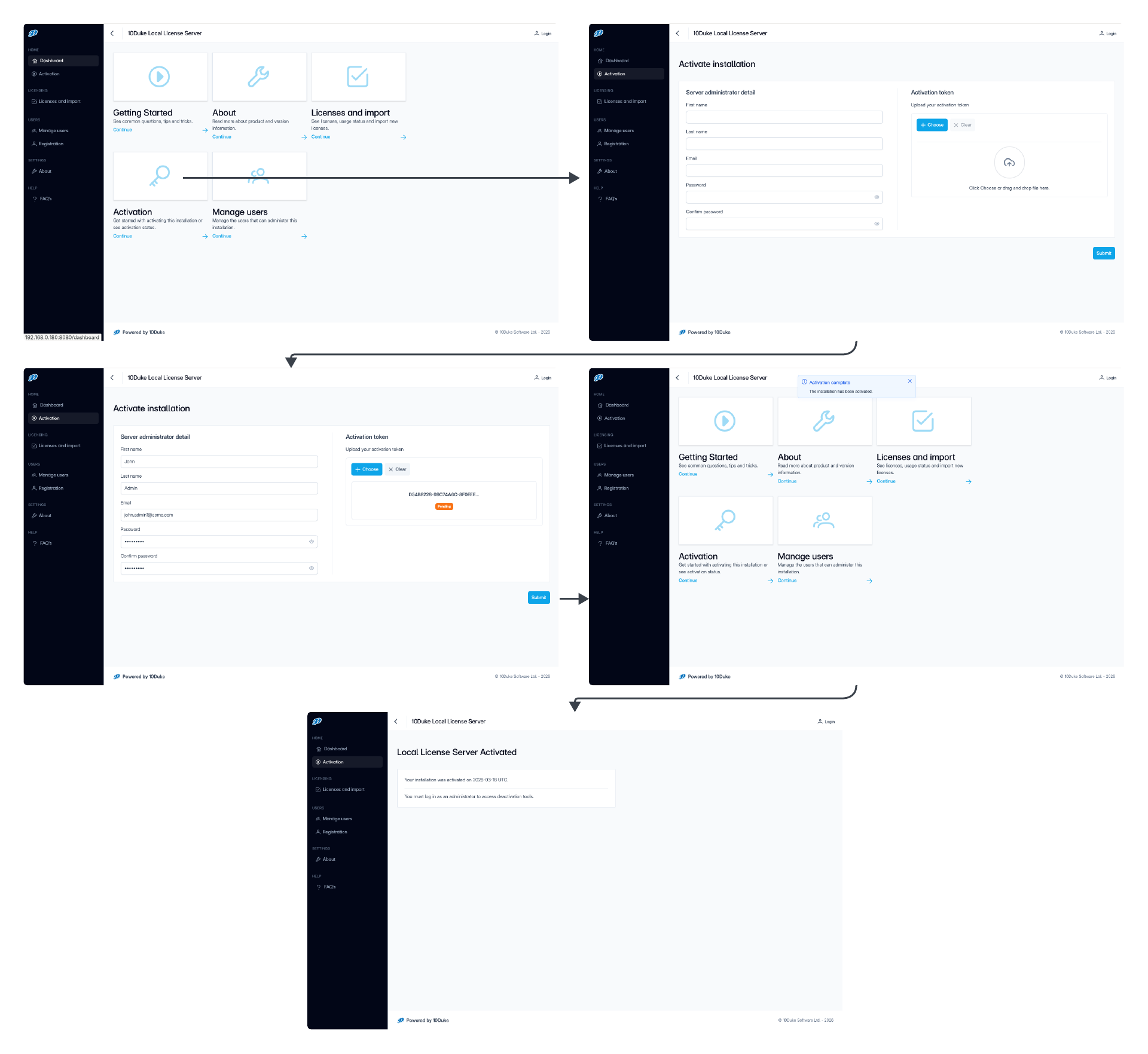
Activation steps in 10Duke Scale Local License Server UI console
The following UI screens illustrate how the end customer’s administrator activates the Local License Server both in an online and offline use case in the 10Duke Scale Local License Server UI console: